
If you want to leave the tasks related to your company’s employees to your accountant, you need to grant the accountant access rights in Tervisekassa, the Estonian Health Insurance Fund (via the eesti.ee state portal). This guide gives you an overview of how it works.
Pääsuõiguste andmine samm-sammult:
1.Ava eesti.ee portaal ja logi sisse.
2. Make sure you are in the right company’s view and choose “Volitused” (authorisations):
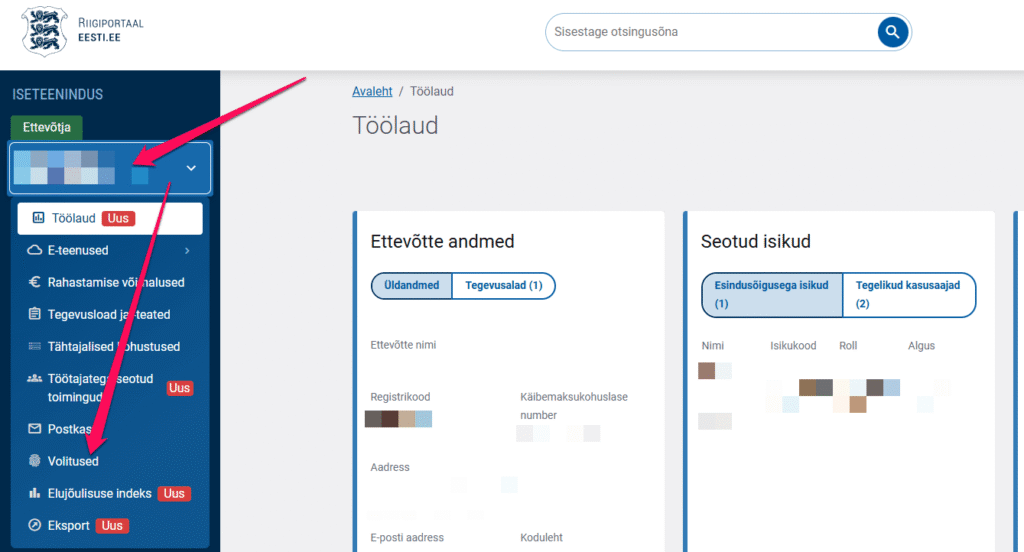
3. To add a new authorisation, click “Uus volitus” (new authorisation):

4. Vali Esindaja – lisa lahtrisse kas eraisiku isikukood või ettevõtte registrikood:
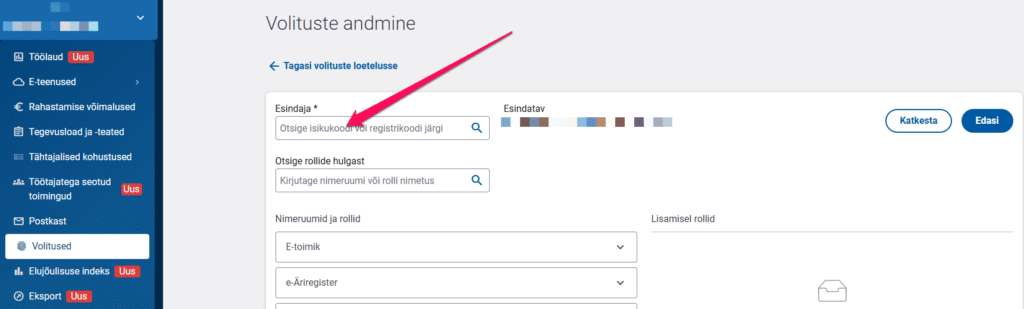
5. Choose the rights you want to share:
- You can expand the roles by clicking the little arrow:
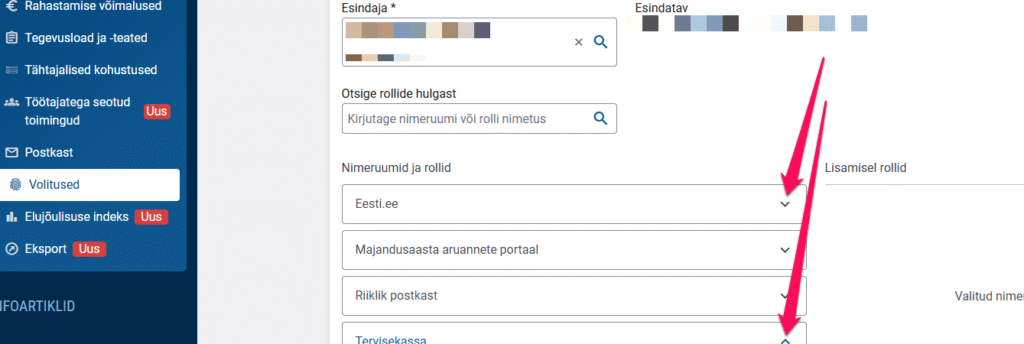
- For Tervisekassa rights, choose
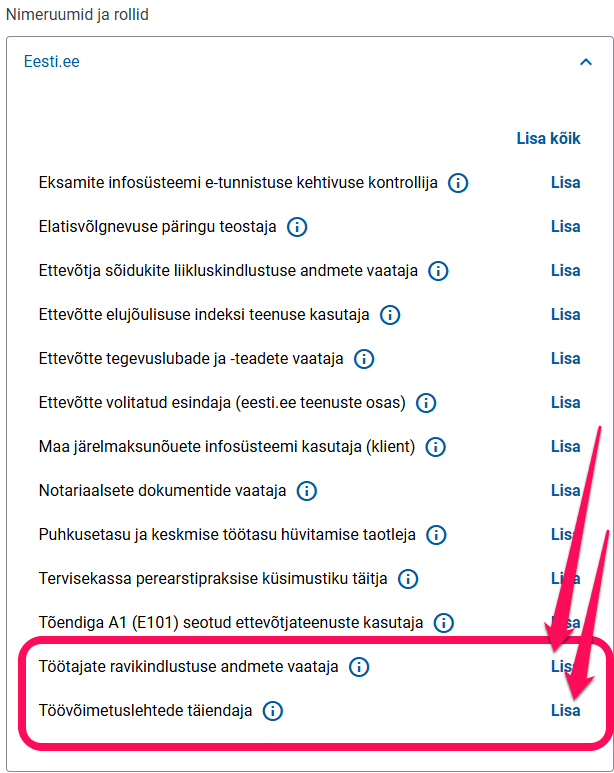
- Under Eesti.ee, click “Lisa” (add) for the following options:
- Viewer of employees’ health insurance data
- Editor of sick leave certificates
- Under Eesti.ee, click “Lisa” (add) for the following options:
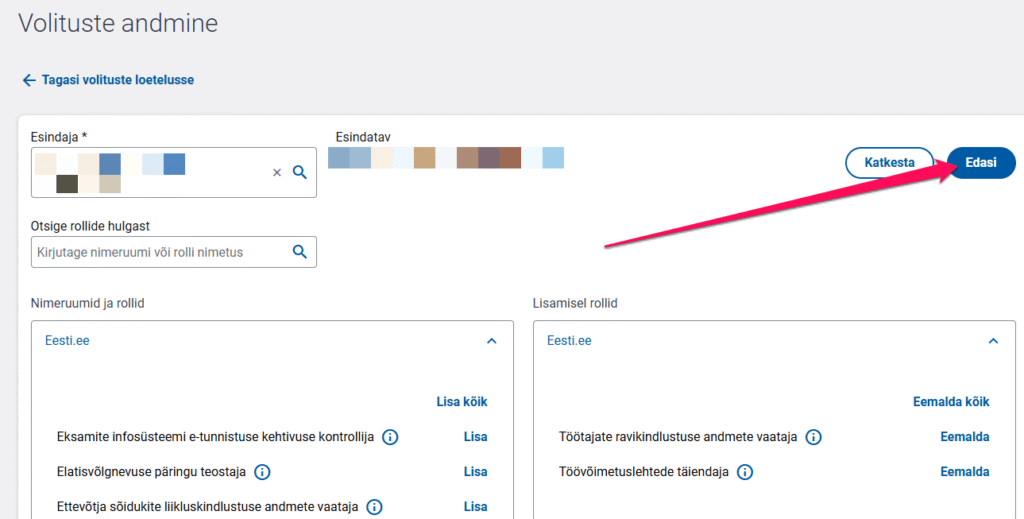
6. Then click “Edasi” (next):
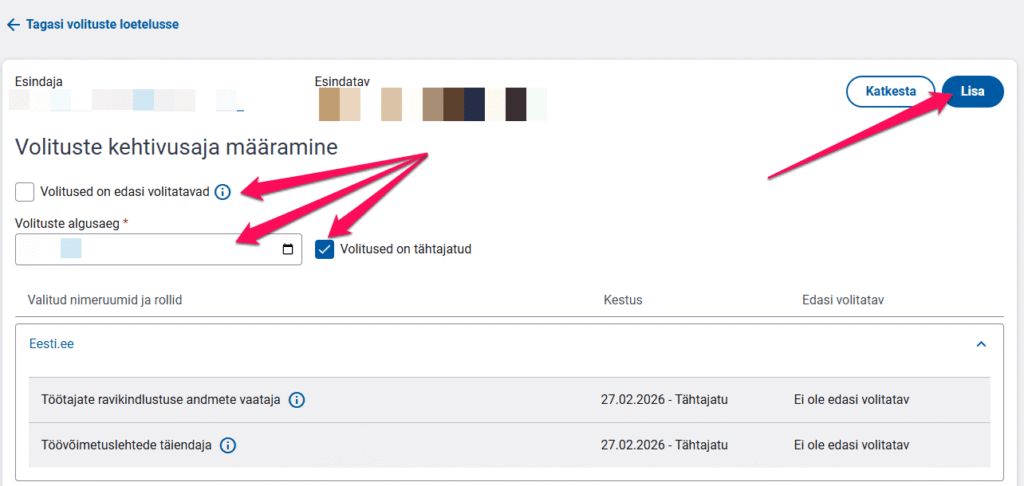
7. You can change the start time of the authorisations, the right to delegate them further and their validity period. Once chosen, click “Lisa” (add).
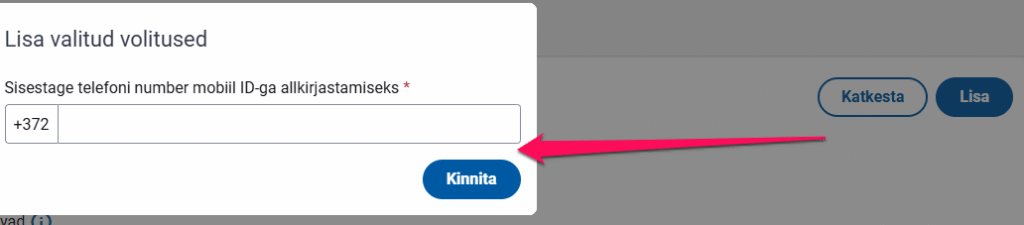
8. Then confirm the authorisations:
And you are done! 🙂
Pääsuõiguste lõpetamine samm-sammult:
1.Taaskord logi palun sisse eesti.ee postaali ja vali vasakust menüüst “Volitused”.
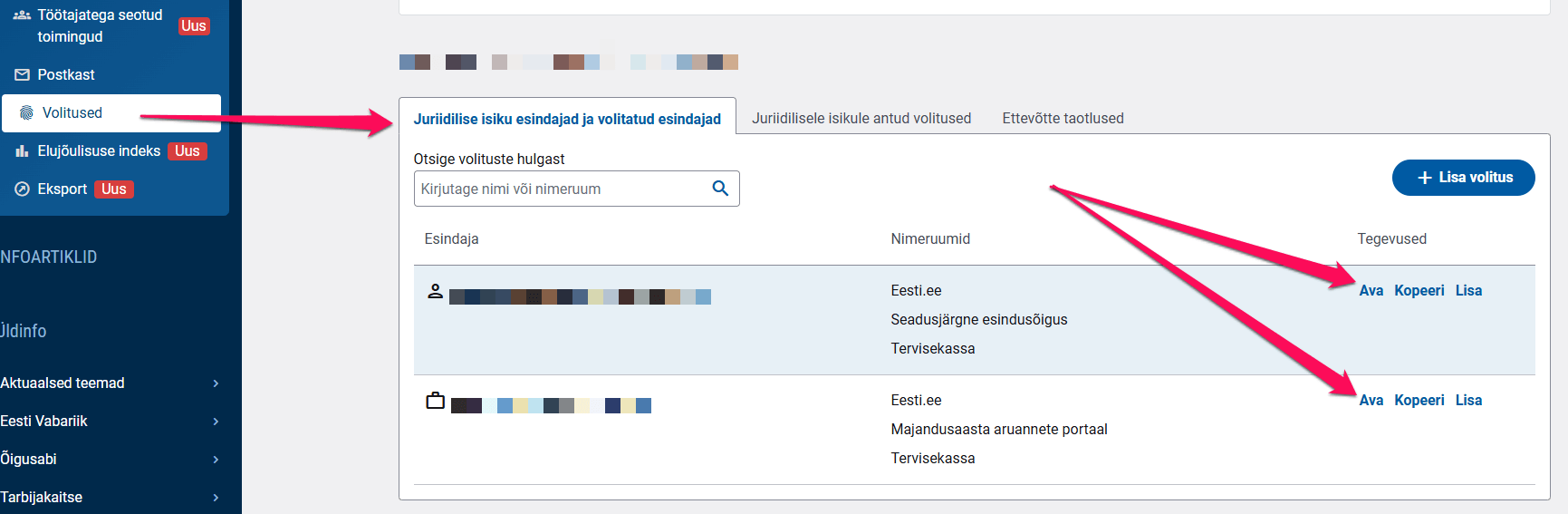
2. Then open the person whose authorisations you want to remove by clicking “Ava” (open):
3. Then tick the services whose authorisations you want to end (you can also select all at once) and click “Eemalda” (remove):
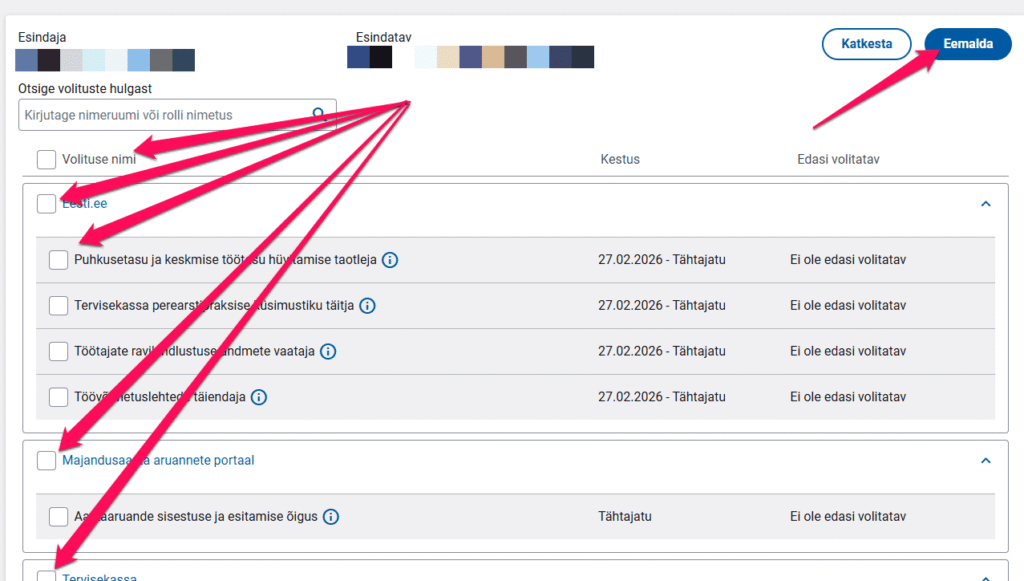
4. Confirm the removal with your digital signature:
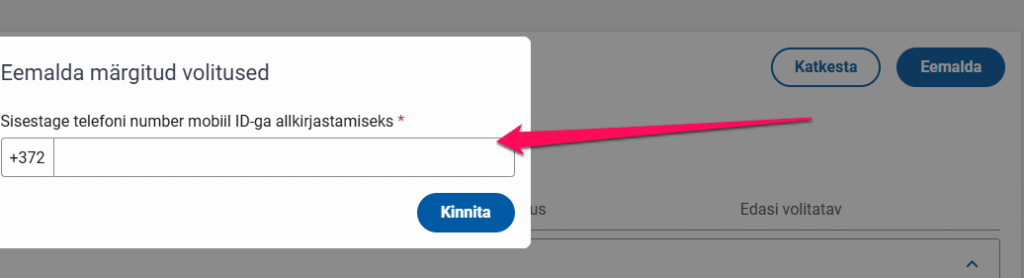
And the authorisations are removed! 🙂
Kui see leht võiks ka Sinu sõpradele abiks olla, siis kliki “Jaga”!