
Share capital not yet paid in?
First, transfer the full amount of the share capital from your personal bank account to the company’s bank account. Usually this is 2500 euros. Use the payment description “Osakapitali sissemakse” (share capital contribution). Enamasti on see 2500 eurot. Selgitusega: “Osakapitali sissemakse”.
NB! Paying the share capital in several instalments is completely fine. The company must have a “real” bank account: PayPal, Wise or other modern solutions are not enough, because they cannot issue the Business Register a certificate of the share capital contribution. Paypalist or TransferWisest or other modern solutions are not enough: they cannot issue the Business Register a certificate of the share capital contribution.
Then you must submit an application to the Business Register to change the company’s data, together with the bank’s certificate of the contributions. So you first need to log in to the bank, and to submit the application you enter the Company Registration Portal. So you first need to log in to the bank, and to submit the application you enter the Company Registration Portal.
How exactly is it all done? Let us have a look.
The share capital application step by step:
1. Get a statement of the contribution from the bank:
Start by choosing the period when the contribution was made and open the payment (if the 2500 € was paid in at once), then save it as a bank-signed BDOC (picture on the left). If the contributions were made in smaller parts over a longer period, choose the period, filter out the share capital contributions and save a bank-signed BDOC of the whole statement (picture on the right):

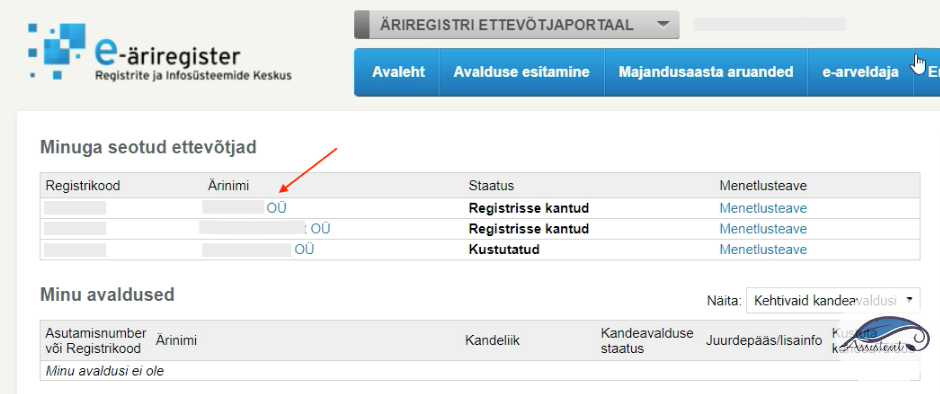
2. Move on to the Business Register and choose the company whose share capital contribution you want to file the application for:, mille osakapitali sissemakse kohta avaldust esitada soovid:
3. Start the amendment application: 
4. Now the capital needs changing: 
Earlier, the box “Founded without making the contribution” was ticked; it must be removed, and the changes saved:

5. Kui see on tehtud, liigu lehe alla ossa ning add the bank-signed BDOC certificate:
Choose the document type and upload the bank’s certificate.
The document type must be “bank notice”. Do not forget to click “+Add document”:

6. Then check the data of the application.
If the Business Register shows an error, fix the issues: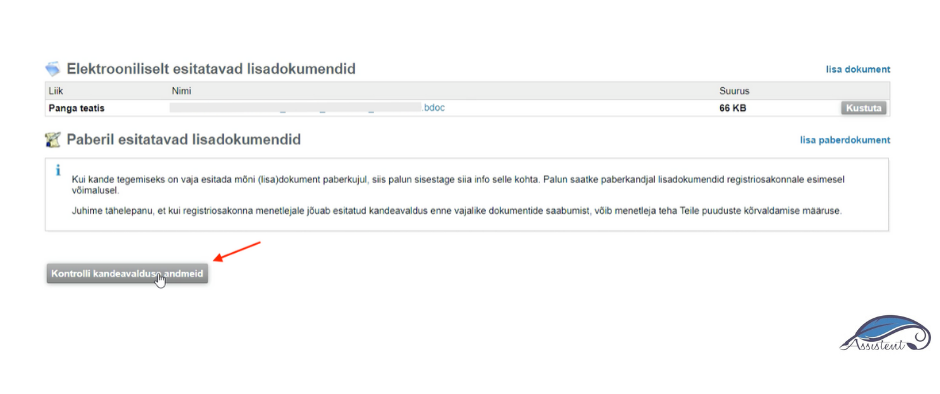
7. Kui andmed on korrektsed ja parandusi pole vaja teha, kinnita avaldus:
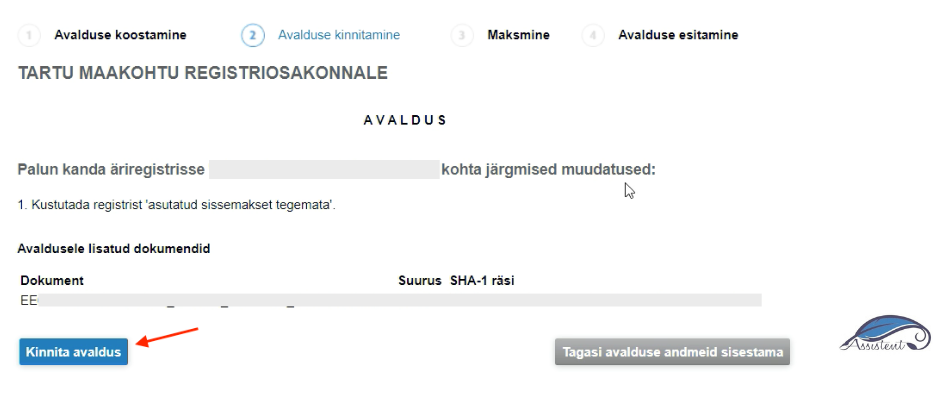
And sign it:

8. Now confirm the signature:

9.9. Then you get the options for paying the state fee:

If you decide to pay the state fee via the bank link, you can enter your company’s bank account directly and pay it there. The state fee for an amendment application is 18 €. Do not forget to click “Back to the merchant”:

10. Submit the application to the register:
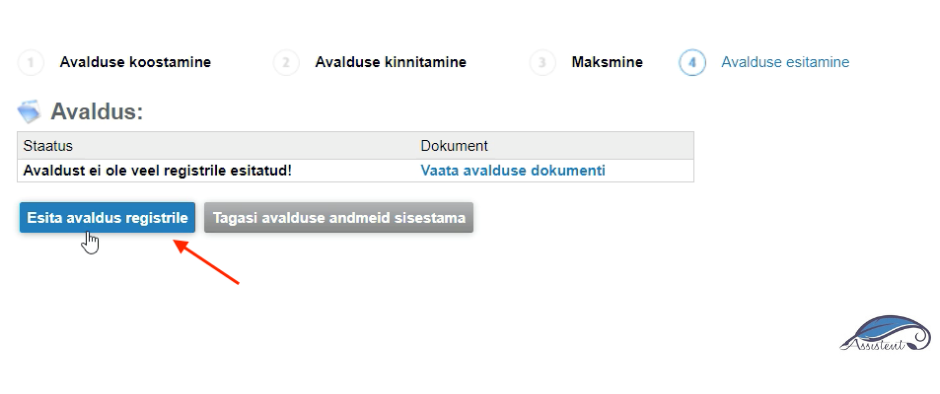
And that is it!
The Business Register notifies you that the application and its documents have been taken into proceedings. If the submitted documents have no deficiencies, the entry is made in the register. If there are deficiencies preventing the entry, the registrar issues a ruling with a deadline for fixing them.
The Business Register generally reacts very quickly. If everything is in order, the change can be completed the very same day! Depending, of course, on what time you submitted the application…
If this guide was useful to you, click “Like”, and if it could interest your friends as well, click “Share”.