
Connecting SEB bank to Merit Aktiva takes only a few minutes!
How do you activate the connection with SEB?
To use the service you need a Baltic Gateway channel agreement with the bank. The service is free if you have any business client package agreement with SEB. If you do not have an SEB business package, the direct feed costs 5 euros a month, paid to the bank, not to Merit. Baltic Gateway kanali leping. The service is free if you have any business client package agreement with SEB. If you do not have an SEB business package, the direct feed costs 5 euros a month. The fee is paid to the bank, not to Merit.
To activate SEB’s automatic entries, do the following:
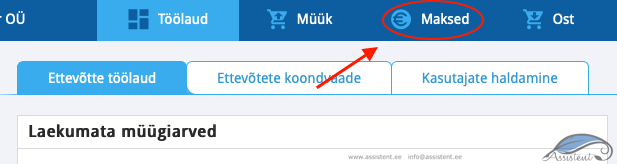
In Merit Aktiva, open Payments from the menu:
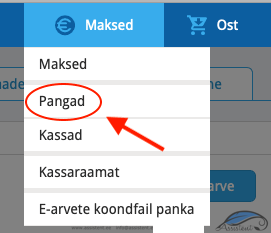
Then choose Banks:
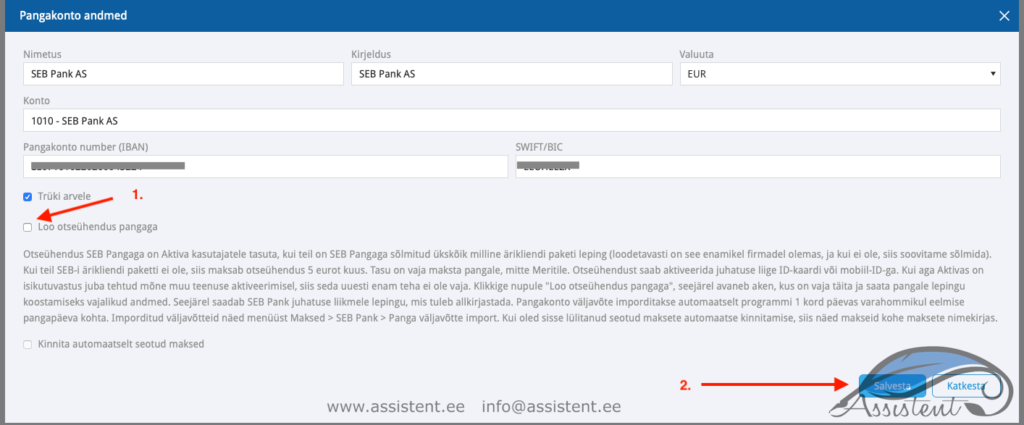
Choose the bank and double-click it, or choose edit:

Tick the field “create a direct connection with the bank” and save:
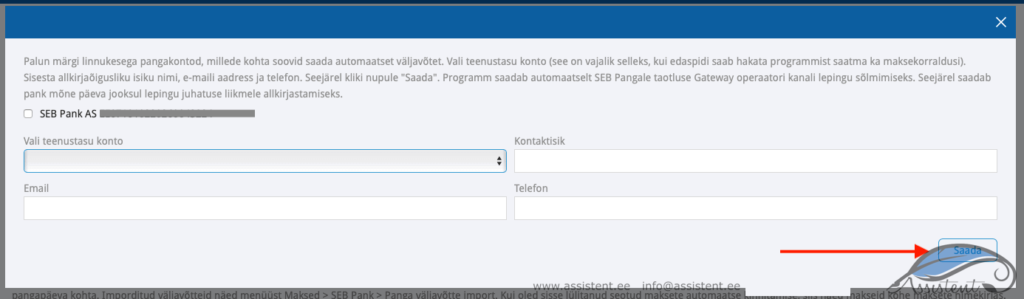
A window then opens where you tick the SEB bank accounts you want automatic statements for, and fill in the contact details of the person with signing rights (you). Once filled in, click Send. The program automatically sends your details to the bank to conclude the agreement.
Tick the box, fill in the details and click send:
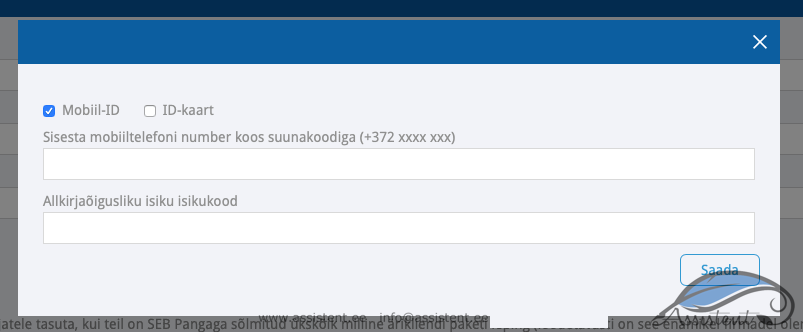
If the company’s authorised signatory has already been identified in Merit Aktiva while switching on some other automation, it does not have to be repeated here. If identification has not been done before, a window opens automatically where the management board member must authenticate with an ID-card or mobile-ID.
Sign with mobile-ID or ID-card:
Within a few days SEB sends the board member an agreement by email, which must be digitally signed and returned to the bank.
The account statement arrives in Aktiva once a day, at night, for the previous day.
If you also have an account at Swedbank, you can connect it too. On our site you will also find a guide!
If you also have an account at LHV , you can connect it too. On our site you will also find a guide!
If this guide was useful to you, click “Like”, and if it could interest your friends as well, click “Share”.