
A guide to activating the direct connection between Merit Aktiva and Swedbank
If Merit Aktiva is the accounting program you use and your company has a bank account at Swedbank, you can switch on an automatic account statement request in Merit Aktiva. There is no more need to import the statement from a file: the import is now done automatically, straight from the bank. It is a great way to automate one of the monthly routines, so that neither you nor your accountant spends time on something that can happen without wasting anyone’s time. SwedbankisIf all kinds of automation feel like a headache or a time sink to you, the guide below is exactly for you! Connecting the bank to the accounting program is actually quick and simple. Invest 15 minutes to save 10 minutes every day from now on (about 300 minutes, roughly 5 hours, a month!).
The Merit Aktiva direct feed with Swedbank is very convenient. Direct feed means that once every 24 hours, at night, the previous day’s bank statement is loaded into Merit Aktiva automatically. Aktiva stresses on its site that the service is free for Merit Aktiva users: there is nothing to pay to Aktiva or to the bank (good to know if you are not our partner and use Aktiva independently). oma lehel, et teenus on Merit Aktiva kasutajatele tasuta, pole vaja maksta ei Aktivale ega pangale (hea teada, kui Sa ei ole meie partner ja kasutad Aktivat iseseisvalt).
So how do you create the Merit Aktiva direct feed with Swedbank?
The service must be activated both in the bank and in Merit Aktiva.
Activation in the bank goes as follows.
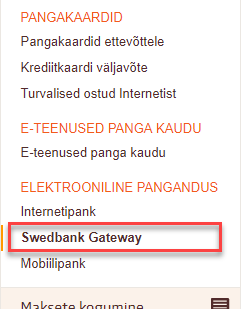
Log in to your company’s internet bank and choose “Swedbank Gateway” from the left column: “Swedbank Gateway“:
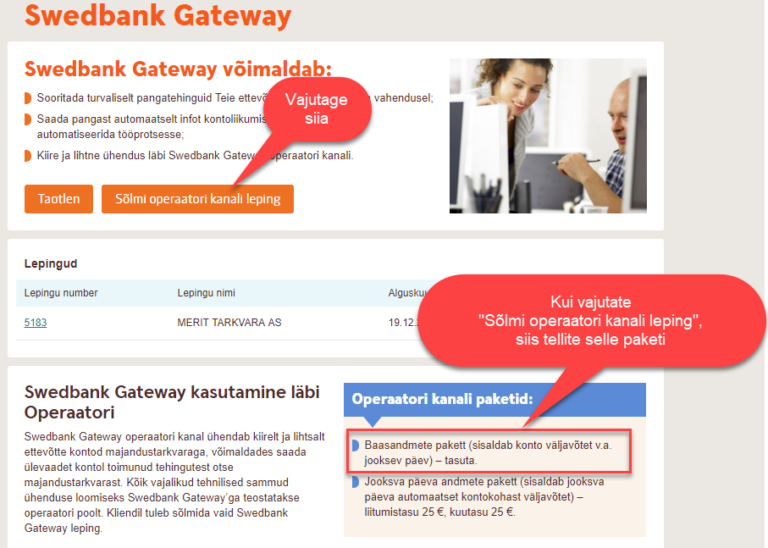
Choose “Sõlmi operaatori kanali leping“ (conclude the operator channel agreement). The package to order is “Baasandmete pakett” (basic data package):
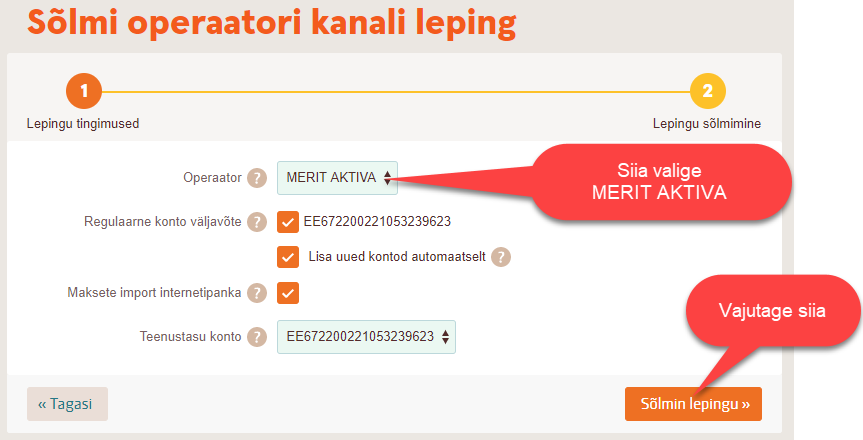
On the page that opens, choose MERIT AKTIVA as the operator, tick the three boxes below and click “Sõlmin lepingu” (conclude the agreement). NB! Aktiva does not yet offer payment import into the internet bank; the service will hopefully be added over time, but if you want to use it in the future, it is wise to tick that box right away. MERIT AKTIVA, pane sisse kolm allolevat linnukest ja vajuta “Sõlmin lepingu“.
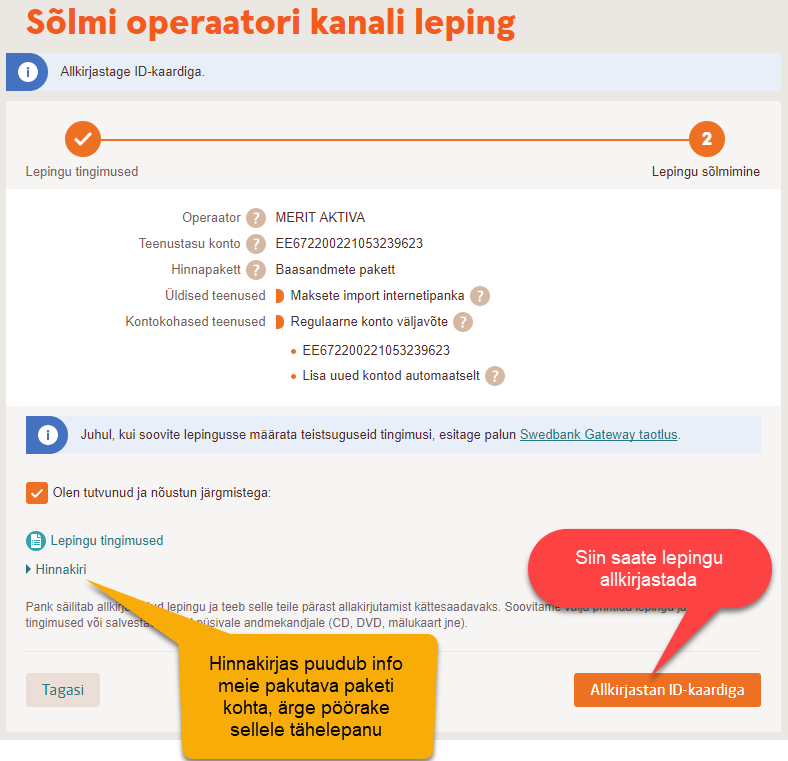
Sign the agreement by clicking the corresponding button on the next page:
The service is now activated in the bank.
What needs to be done in the accounting program?
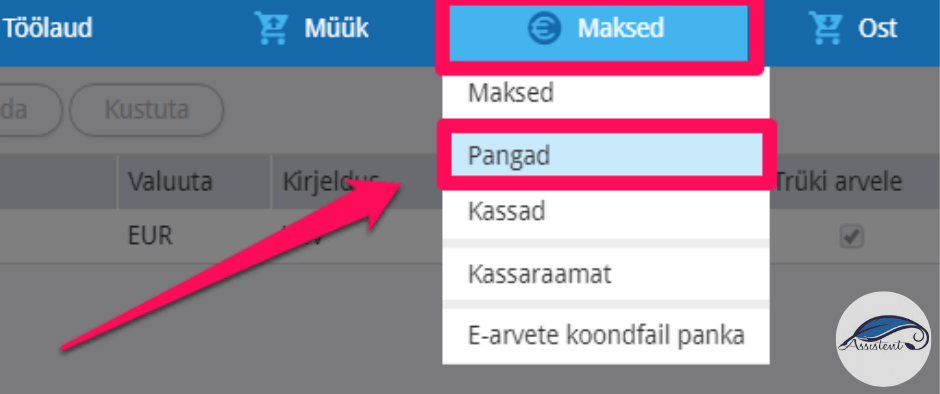
Switch on the direct bank connection on the bank account card, from the menu Payments > Banks. Maksed > Pangad.
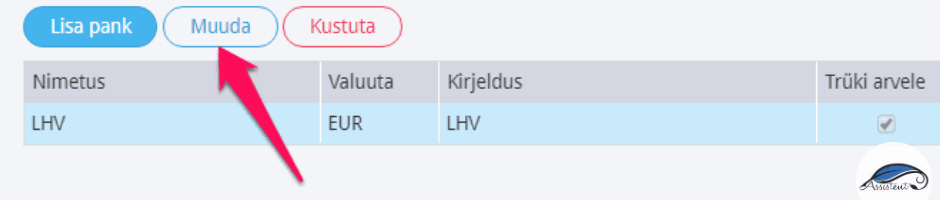
If the bank account is already added, edit it:
Tick both “Create a direct connection with the bank” and “Confirm automatically matched payments”:
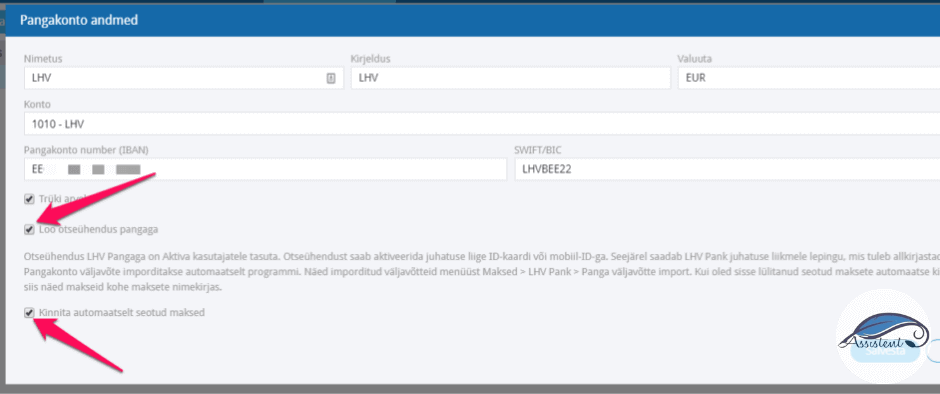
When you click “Save”, an identification window opens, where the company’s authorised signatory can identify themselves with an ID-card or mobile-ID. LHV pangas, you can connect it too. On our site you will also find juhendi!
Kui Sul on konto (ka) SEB pangas, you can connect it too. On our site you will also find juhendi!
If this guide was useful to you, click “Like”, and if it could interest your friends as well, click “Share”.